Interfaces
Reach your agents from anywhere
Direct the same persistent machines from a browser, your local editor, chat apps, or a phone call. The work stays in one place while you switch how you talk to it.
Terminal in the browser
Open a full terminal on any agent machine from the browser. No local setup, and the session stays live when you close the tab.
iTerm and Warp
Connect over SSH and use the agent machine from iTerm or Warp, the same as any remote box you already work in.
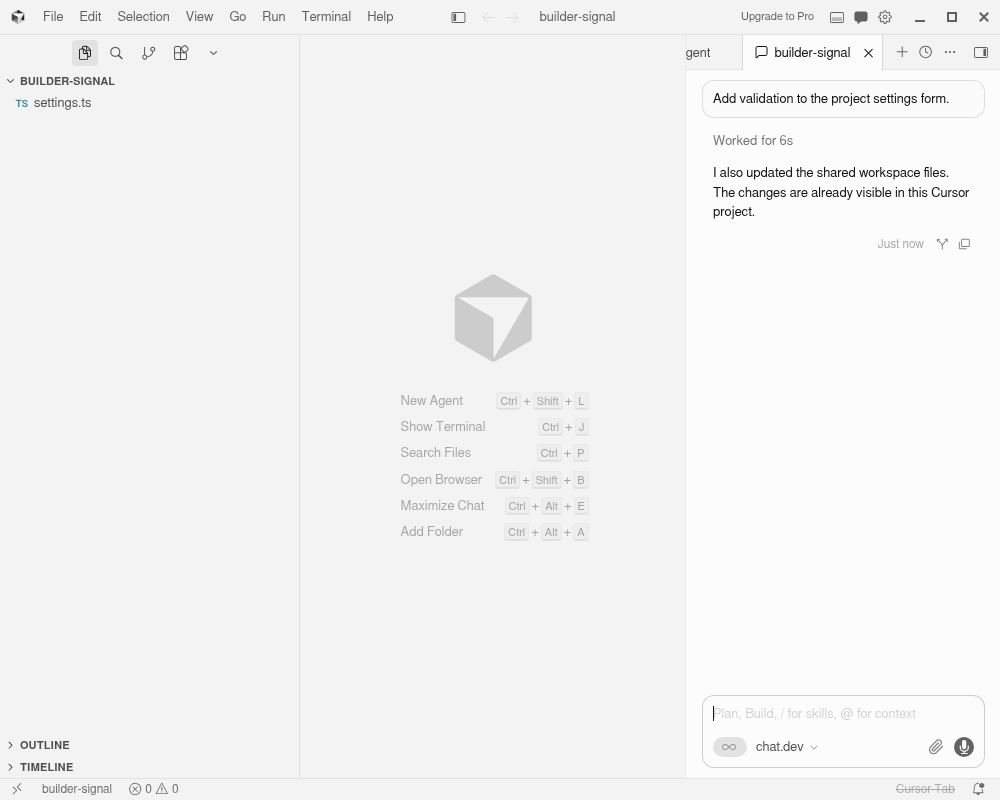
VS Code and Cursor plugin
The plugin virtualizes your local workspace onto a cloud machine and can continue a session already open on your computer. Files sync two ways, so your local folder and the cloud workspace stay in step while each file becomes ready on its own.
Chat where your team already works
Talk to an agent from Slack, SMS, email, Telegram, or Discord. Share an agent into a group so several people can follow the work and reply in the same thread.
Call in
Dial +1-856-CHATDEV, tell Werner what you want, and hang up. He puts your agents to work and calls you back when it’s shipped. He remembers you between calls, and you can read or roll back exactly what he’s learned in settings.
Live meetings
Bring an agent into a live meeting to follow along, take direction, and act on what was agreed.
Connected workflow
Move a task across these interfaces without restarting it. Start on a call, review in the browser, and finish in your editor, all against the same machine and session.
Move the project, not just the prompt.
Continue the coding conversation already open on your computer on a chat.dev machine. Your local folder, cloud workspace, browser editor, and agent session stay connected while each file becomes ready independently.
- Two-way workspace mirroring
- Cursor, Codex, and Claude sessions
- Open cloud agents as projects
- Choose the machine and model